 Invoq
3-tone smart reminders
One tap writes the nudge. Invoq suggests the tone from how late the invoice is.
Friendly: up to 3 daysProfessional: 4–14Firm: 15+
100% OFFLINE · ZERO SIGN-UP · ONE-TIME PRO
Made for freelancers, independent contractors, designers, developers, tutors and solo consultants. Build the invoice on your phone, share a PDF or a WhatsApp card with a UPI QR, and your data never leaves the device.
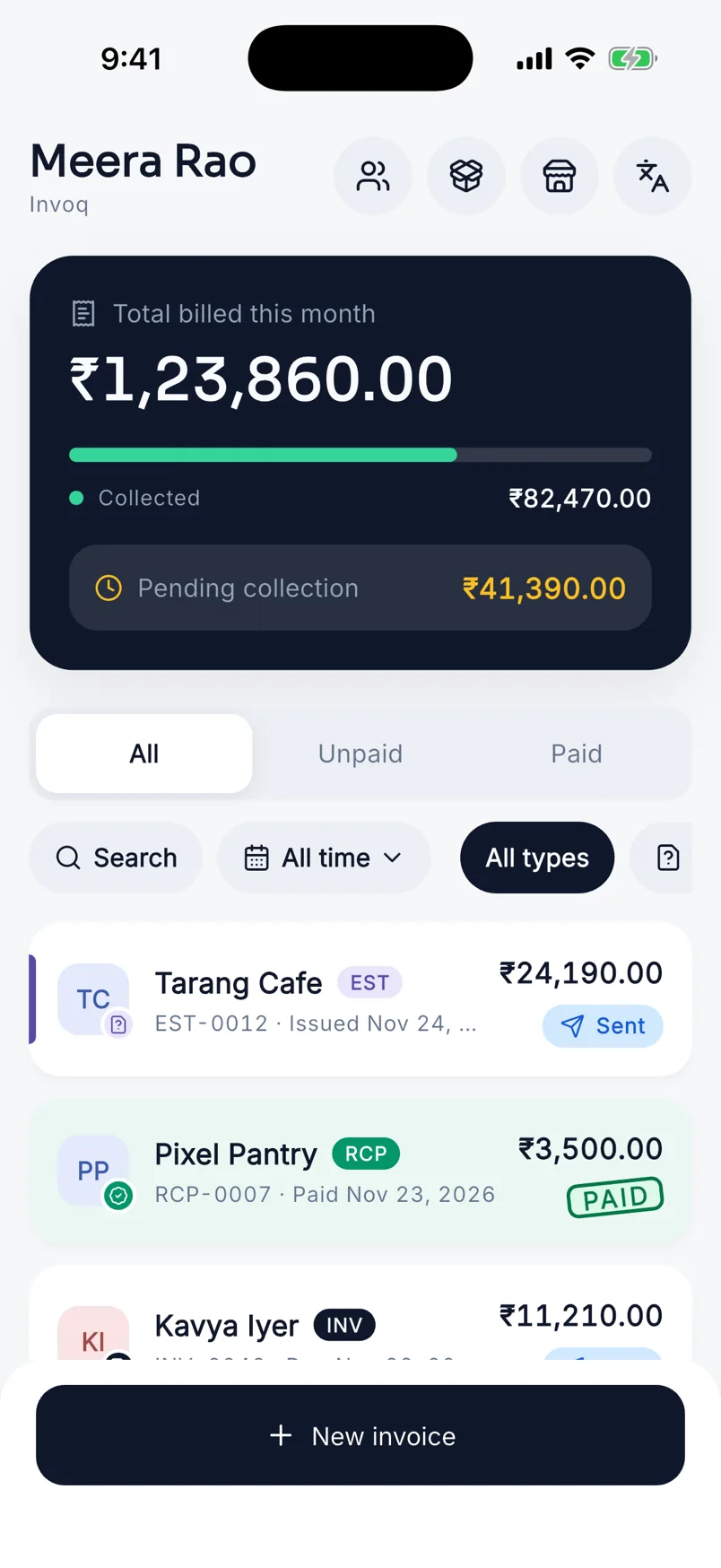
From the call that ends the project to the payment landing. Pick a step to see the real screen: these are captures from the app, running on a phone with no network.
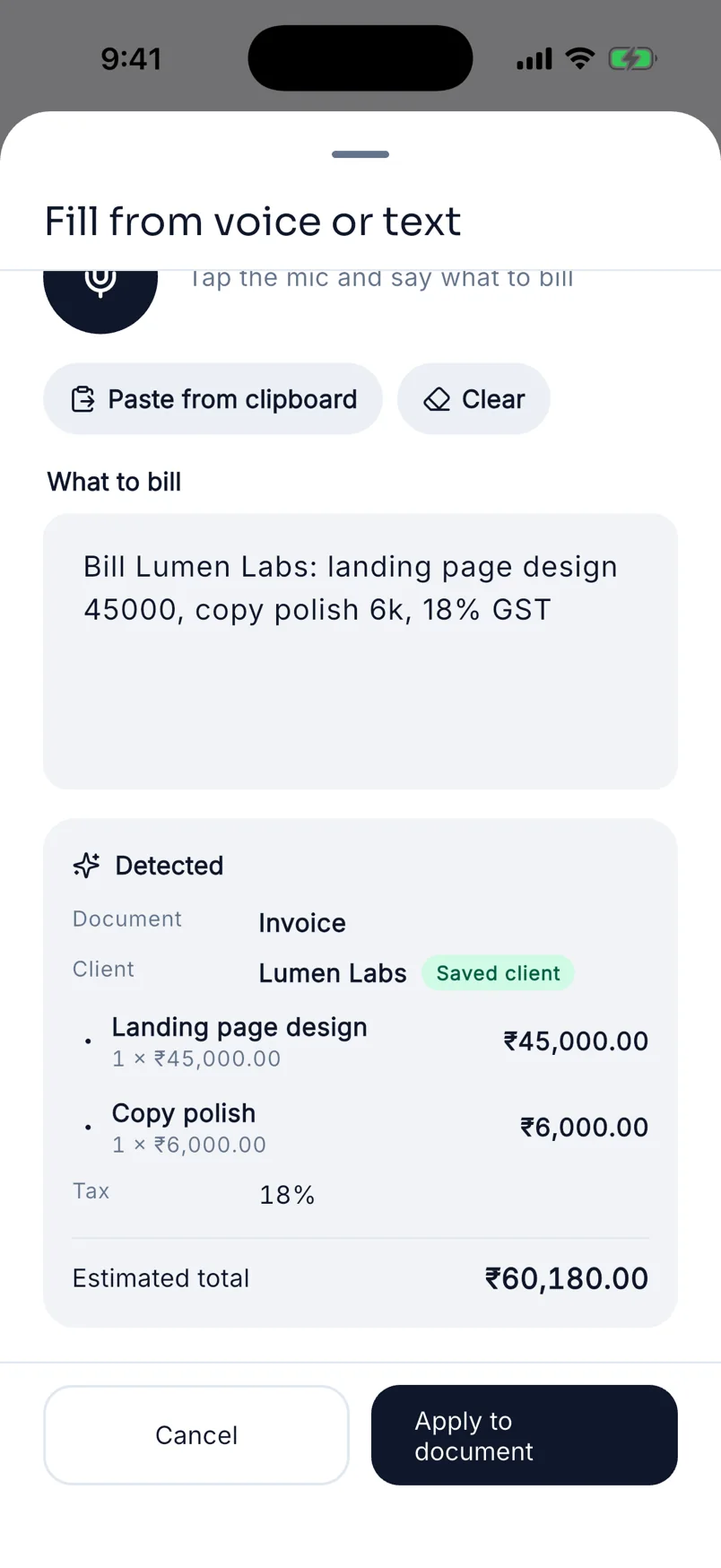
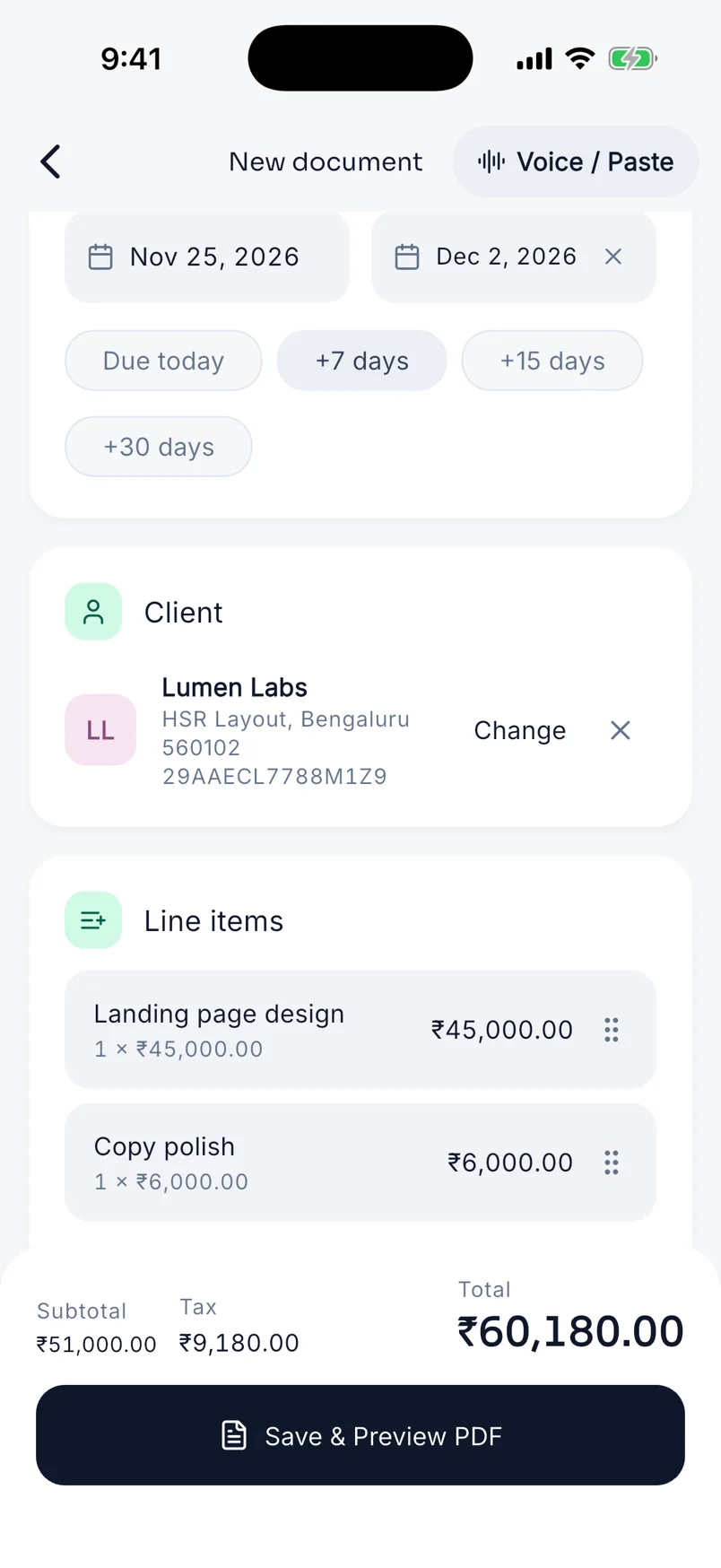
Say or paste what to bill, like “Bill Lumen Labs: landing page design 45000, copy polish 6k, 18% GST”. Invoq shows what it understood as you go. One tap applies it to the invoice, so you can bill before the call ends.
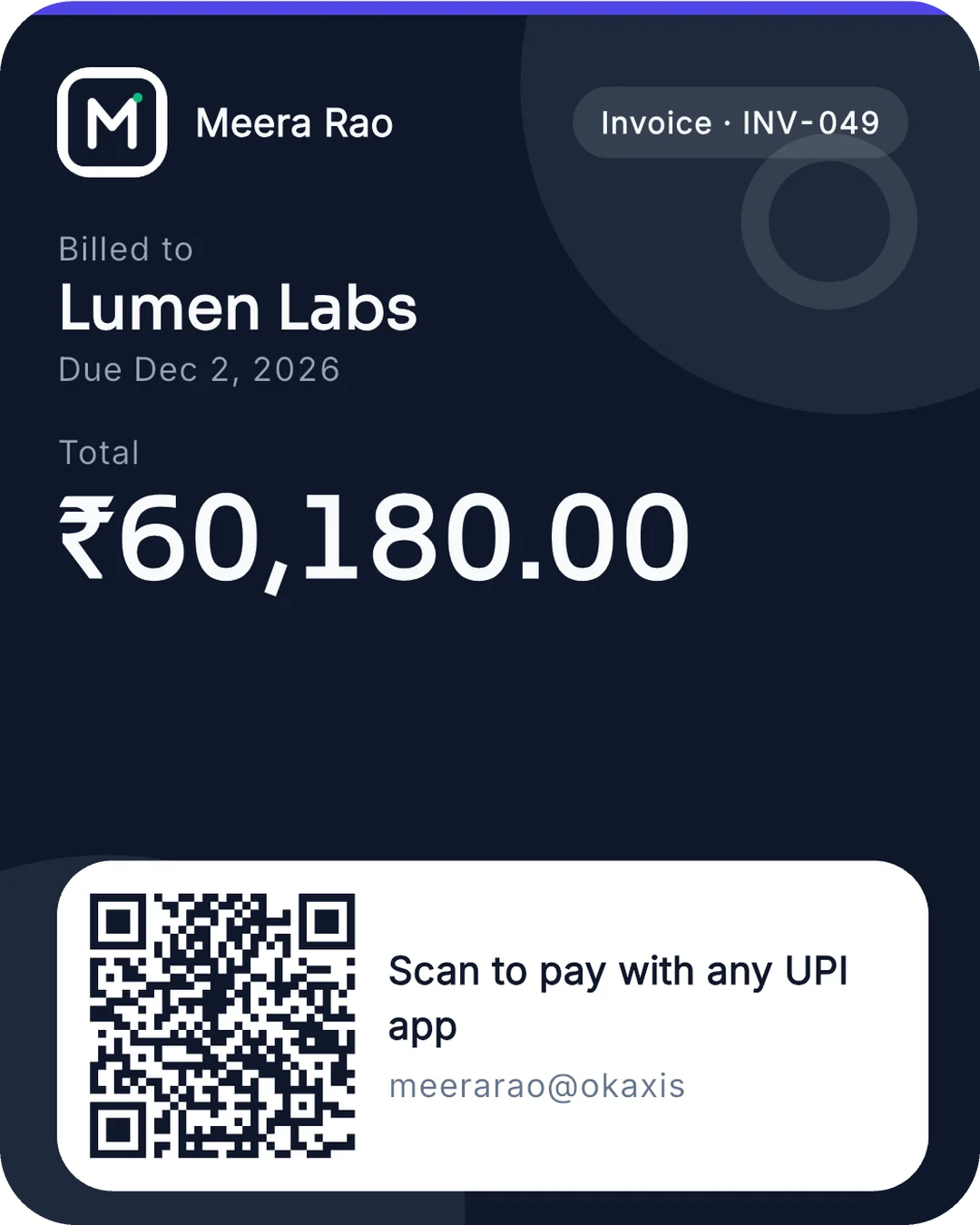
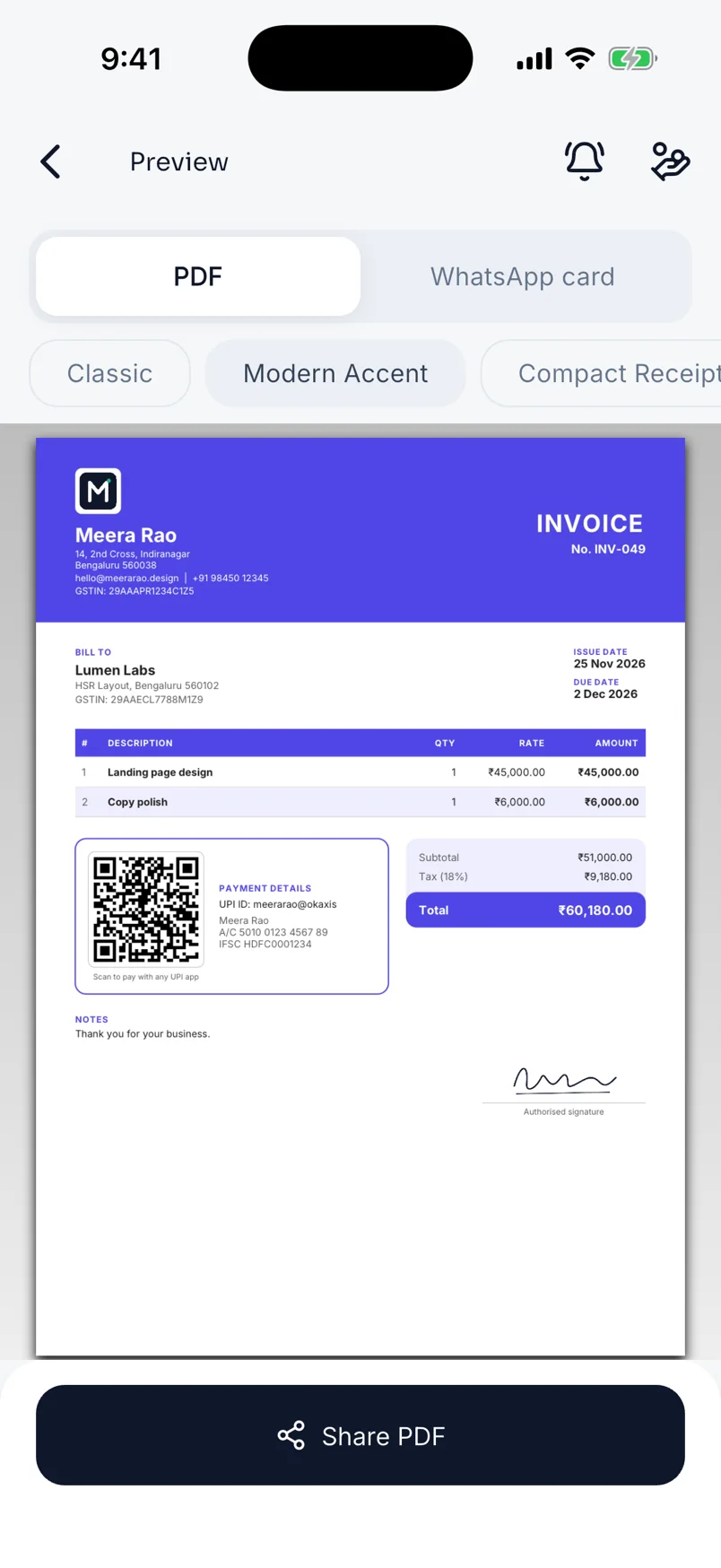
A 4:5 picture of the invoice with the amount and a UPI QR pre-filled for exactly that total. Your client sees it in the chat where you already talk to them, and pays without leaving WhatsApp.
Classic, Modern and Compact Receipt for A4 and email. For workshops and in-person sessions, 58 mm and 80 mm thermal layouts for Bluetooth receipt printers. All of them are real vector PDFs: text stays sharp and searchable.
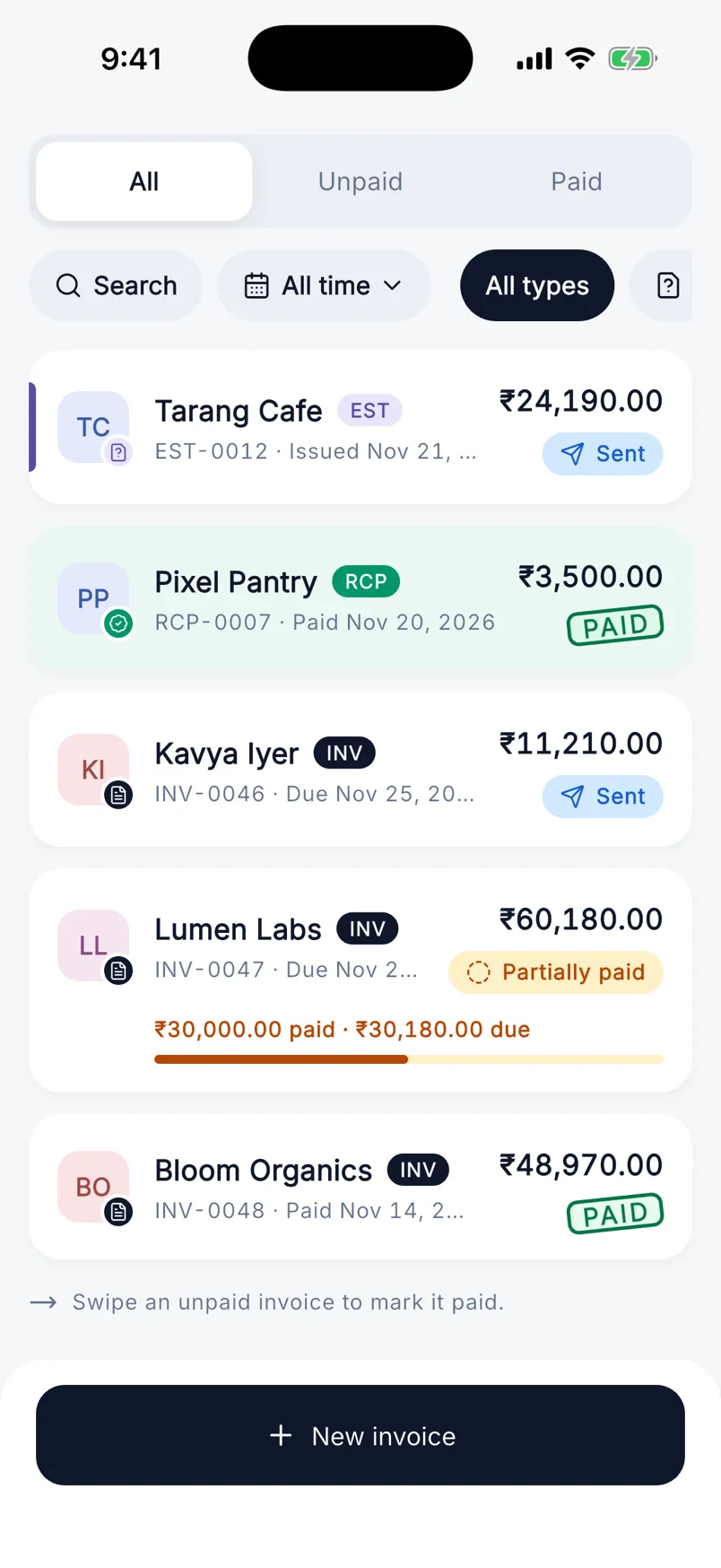
Log an advance or a milestone payment. The balance due updates everywhere, including the QR on the next card you send. When a client asks “what do I owe you?”, export a one-page statement.
Reminders that sound like you, a language your client reads, and the paperwork your accountant asks for in March.
One tap writes the nudge. Invoq suggests the tone from how late the invoice is.
Hand-written translations, not machine stubs. Arabic and Urdu lay out right to left.
Indian (11): Hindi, Bengali, Gujarati, Kannada, Malayalam, Marathi, Odia, Punjabi, Tamil, Telugu, Urdu.
Global (8): English, Spanish, French, German, Portuguese, Indonesian, Japanese, Arabic.
On Android, a widget shows what is pending, how many invoices are unpaid and what you billed this month, with buttons to start a new document. On both phones, long-press the app icon to start an invoice, estimate or receipt.
Add HSN or SAC codes to line items, then export a CSV for your accountant or GST filing. Totals match the PDFs to the paisa.
Export everything to one file you own. Keep it in Drive, email it to yourself, restore it on a new phone. No account in the middle.
Most invoice tools are either a monthly subscription or a company-sized ERP. Invoq is a small tool for one person billing a few clients, and you pay for it once.
| Invoq | Subscription invoice apps | Heavy ERPs | |
|---|---|---|---|
| Pricing model | Free tier, then one lifetime purchase | Monthly or yearly plan | Per-user licence or seat fee, often with setup |
| Login required | No. Open the app and start | Yes, an email account | Yes, company account and roles |
| True offline support | Everything works offline | Partial. Creating usually needs a connection | Server-based, needs a connection |
| Invoice limits | None. Unlimited invoices and estimates on Free | Often capped by plan tier or client count | None, but sized for accounting teams |
| WhatsApp visual QR cards | Built in, with a pre-filled UPI QR | Usually a PDF or a link | Not offered |
The last two columns describe common patterns, not a review of any one product. Check the plan you are comparing against.
No trial clock, no renewal date. The Pro price appears in your local currency in the store, before you confirm.
No payment, no account
One-time purchase. No monthly fees
Short answers, no fine print. The full details are in the privacy policy and terms.
Yes. It is made for one person billing a handful of clients: freelancers, independent contractors, designers, developers, tutors and solo consultants. Add your logo and signature, send an invoice, estimate or receipt, and track advances and milestone payments. It is not built for teams or inventory.
On your phone, in a local database. Invoq has no accounts and no invoice servers, so clients, prices and documents never leave the device unless you share a PDF or a payment card yourself.
Yes. Creating, editing, previewing and exporting all work offline. You need a connection only to buy or restore Pro, to send a file through WhatsApp, email or another app, and, depending on your phone, for dictation, which uses the system speech service. Pasting text needs nothing.
Export an offline JSON backup from the app, move the file to the new phone, and restore it there. Pro belongs to your App Store or Google Play account, so Restore Purchase brings it back.
Yes. Show tax as one line or split it into CGST and SGST, and add HSN or SAC codes. You can invoice in other currencies. The UPI QR is for rupee invoices, because UPI only settles in rupees.
No. Pro is one lifetime purchase through the App Store or Google Play. There is no monthly fee and no renewal. The store shows the price in your currency before you buy.
iPhone and Android phones. Download it from the App Store or Google Play. The home screen widget is on Android today, and the iPhone widget is in progress. Everything else is the same on both.
Install it, add your business name, and send the first one. No sign-up in between.